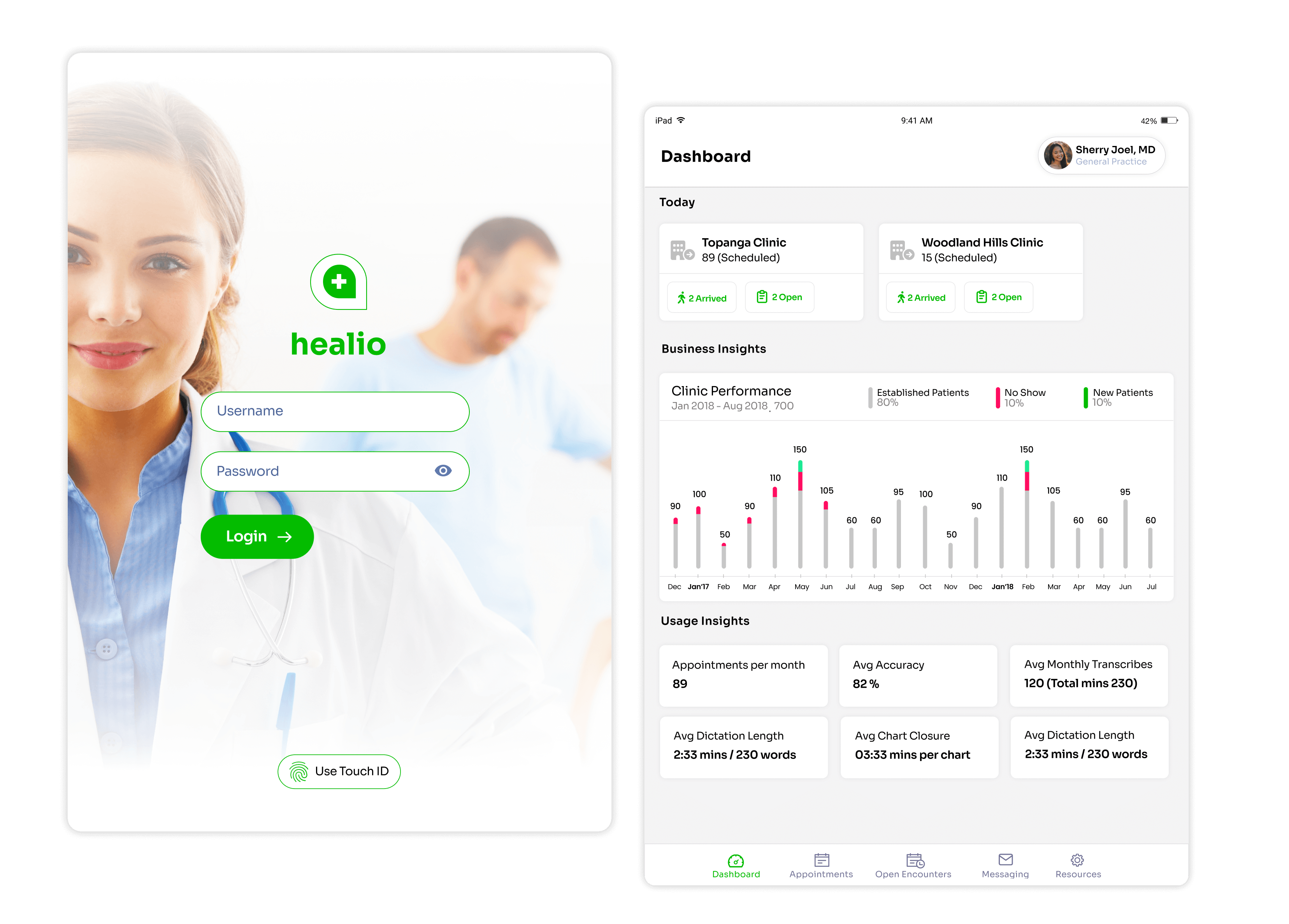
Simple, clean and organic branding. Clinical dashboard that gives providers a snap shot of clinical performance, usage insights, daily patients and overall business prospect of their clinic.
The landing screen acts as a dashboard which gives a snapshot of schedule patients across clinic.Tapping into the business performance across your practices is made graphicalGet sense of your charting style and other usage statisticsAll essential modules laid out in tab-bar for easy access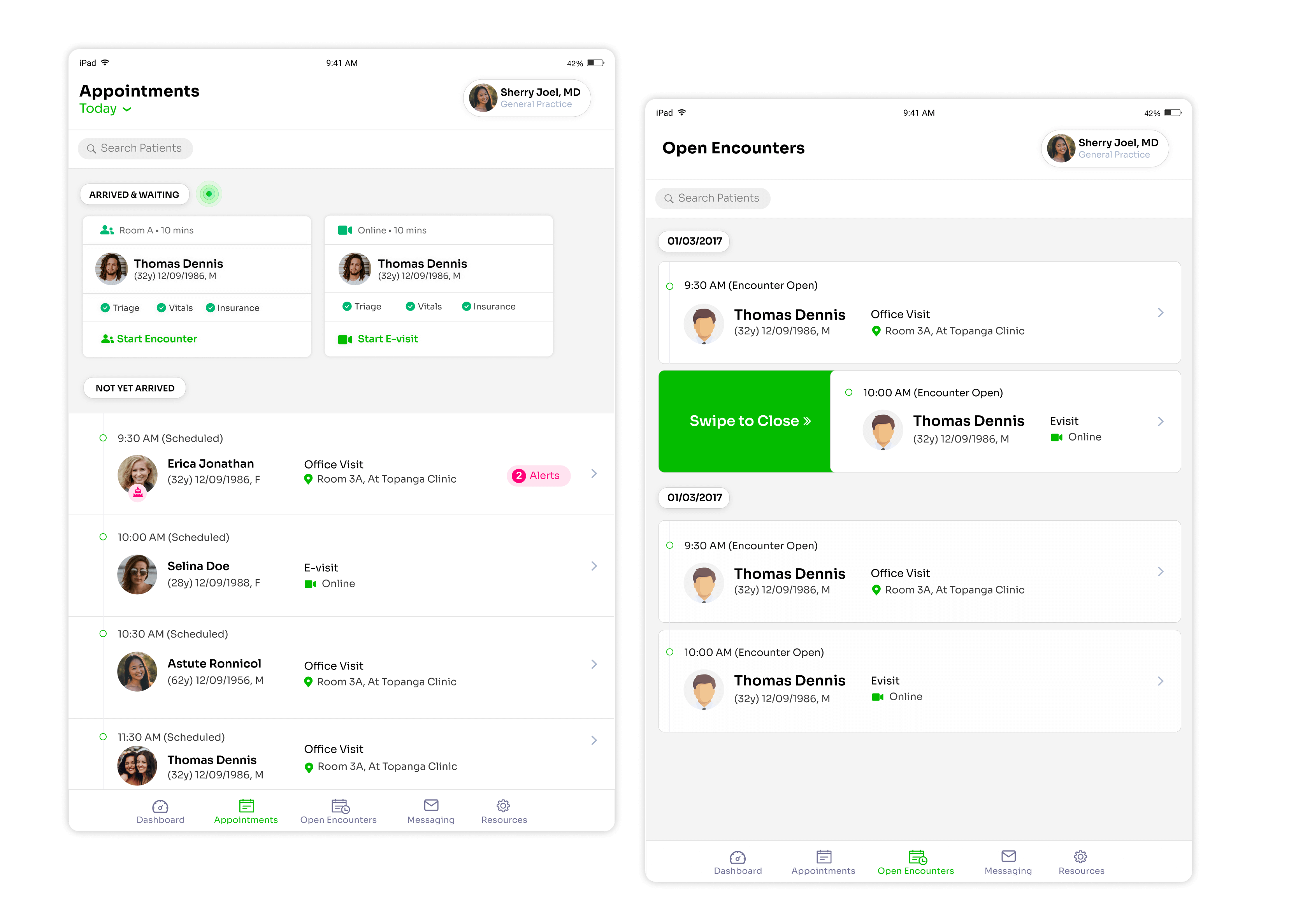
The appointment layout offers a clean peak into patients who are scheduled for today along with their arrival states, wait times, triage & insurance eligibility statuses. It also highlights the patients who are in waiting room.This helps provider prepare better and reduce wait time thereby making the overall experience better. The pending encounters are easily accessible in one tap and can be closed with a simple swipe.
In order to reduce patient wait times, doctors can easily identify patients who have arrived and checked-in compared to scheduled.Patients who aren't arrived are treated differently for easy identificationGet sense of your charting style and other usage statisticsSpecial events like birthdays, anniversaries are indicated to doctors so that they can start a more personalised conversationVisual difference between in-person visit and e-visit are clearly highlighted through appropriate symbolsClosing open encounters is super simplified. Doctors can easily take a look at open encounters and either tap to open or just slide them to close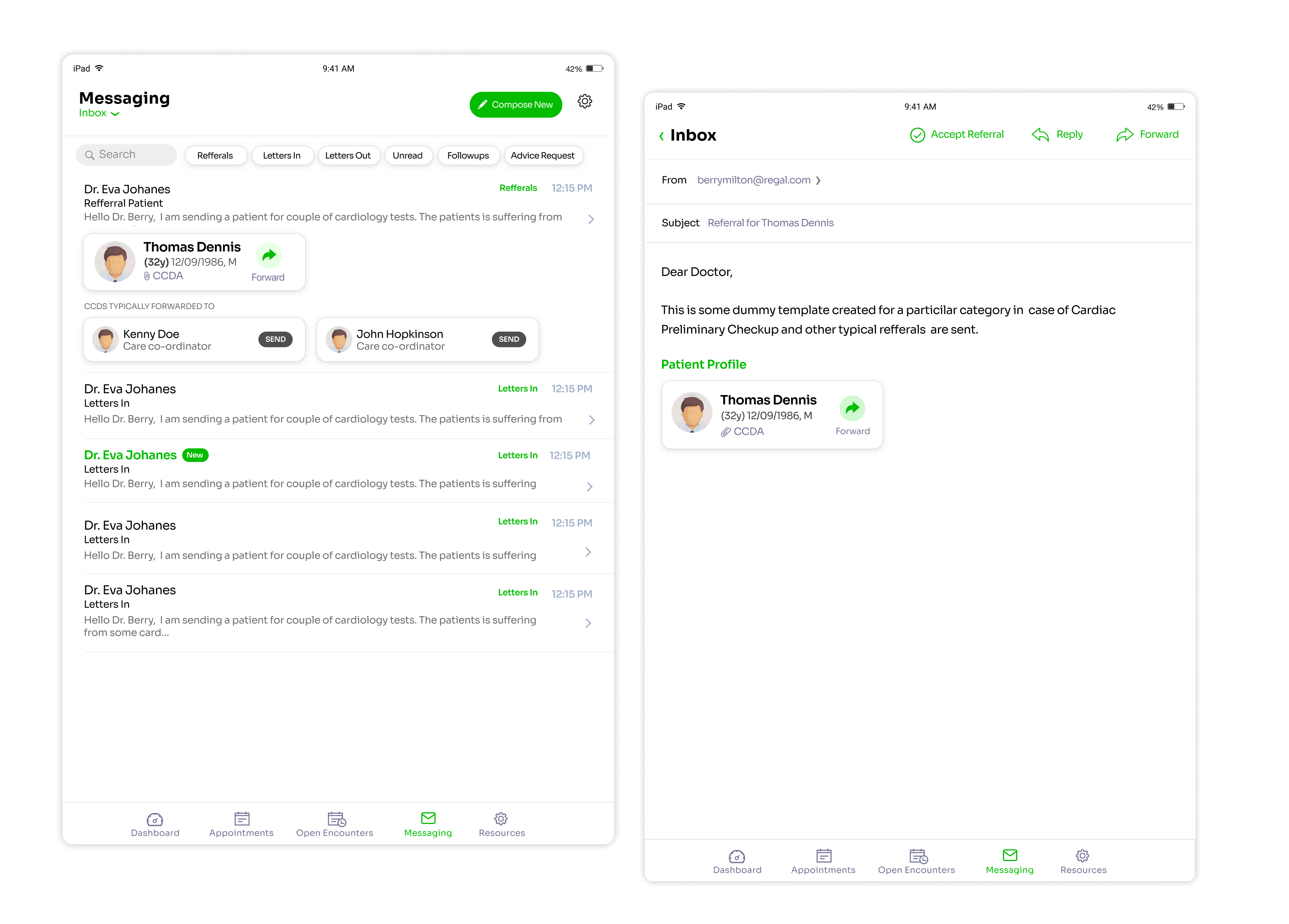
The view encompasses all the important clinical communication which includes InBound & Outbound Referrals, Follow-up request etc
One tap filter to refine your communicationOne tap to preview or import of care continuity documentsWe supercharged traditional communication experience by adding quick actions like accepting referral in one click, forwarding CCDs to someone etcManage communication preferences here like setting auto responses, auto forwarding etcMachine learning enables faster communication. In this context, since providers always forwards a CCD to his fellow co-coordinators, the Inbox is recommending interactions accordingly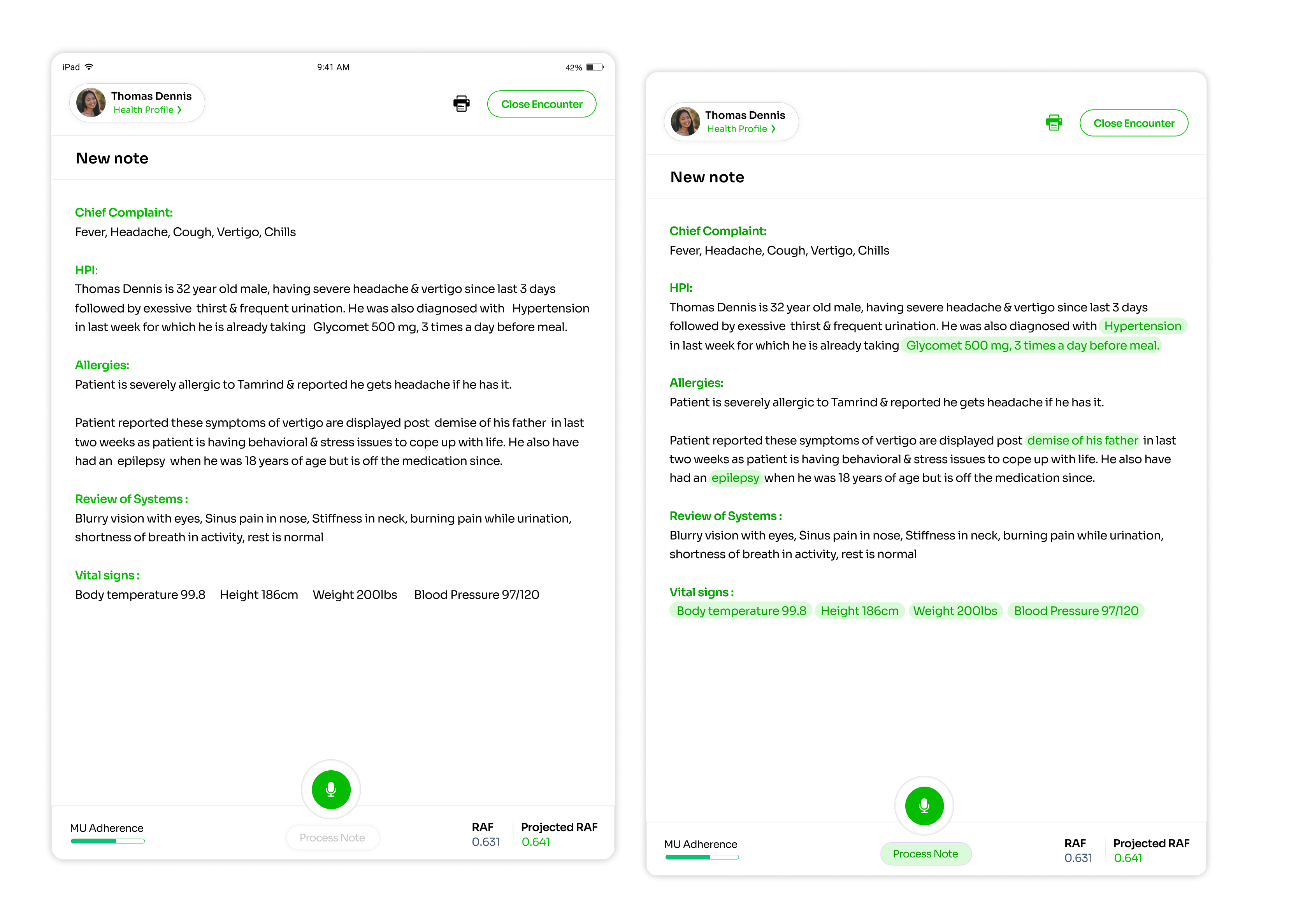
No typing, no scrolling. Just naturally speak it to Helio. With Nuance, we designed experience around natural language processing & clinical data extraction which feels like a natural extension of provider consultation. The magic is enabling doctors do the charting in unstructured way yet extract the structured data and capture patient's health conditions in a more seamlessly way. The intelligent suggestions highlights gaps in care and enables provider do more accurate charting in less time.
The new note for patients starts in a clean slate. Doctor can open patients health profile in a single tapAs doctor completes the charting, the notes quality is measured from meaningful use perspective and doctor can see the compliance in real timeBased on new capture of diagnosis or marking certain diagnosis as invalid, the patients risk assessment score gets updated and projected score is displayed here. This RAF is very helpful for accountable care organizationsDoctor can directly narrate his findings like patients HPI, known issues, sorted issues, allergies etcOnce narration is complete, provider clicks on "Process Note" and with help of Nuance, all the important health events are highlighted in the note. This is the most important feature where provider's unstructured notes gets converted into structured notes. With speech to text recognition, providers don't have to choose or type. They finish the notes in a flick thereby finishing more notes, seeing more patients per day and getting better revenues.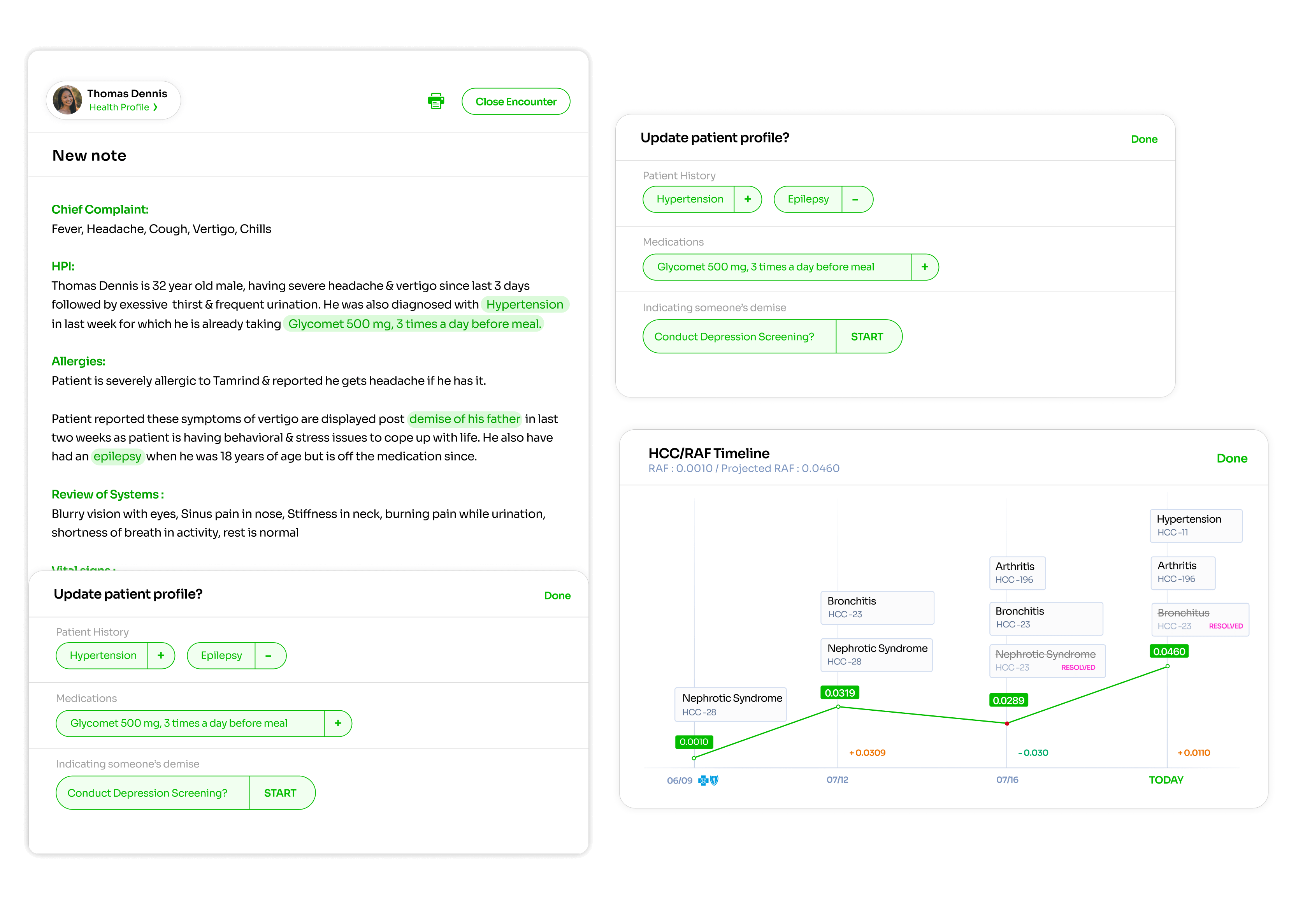
The clinical data extraction enabled us to compare past and projected health profile of patients, thereby helping identify the missing health events or resolved conditions of patients and close care gaps during the consultation.
When provider narrates the note in unstructured way, Nuance helps us identify the health events in structured way. All provider has to do is, accept those events to be updated into patient's profile+ indicates adding to profile & - indicates removal from profile. In this scenario, the intelligence has identified new health conditions to be added as well as one health condition that is resolvedIntelligence has identified the medication which patient is taking yet is not part of his/her profile. It prompts provider to add it to patients profile.System identified that note mentions "demise" and provider an option to conduct depression screening if required.HCC / RAF timeline helps provider get a sense of the health graph of patients e.g when was certain health condition diagnosed or resolved. This graph also enables ACOs to evaluate performance of a clinic and quality of care provided by a provider.